Role
Deliverables
GIS-Powered
Street Parking on Way App
This project aims to introduce Street parking feature to Way App.
Introduction
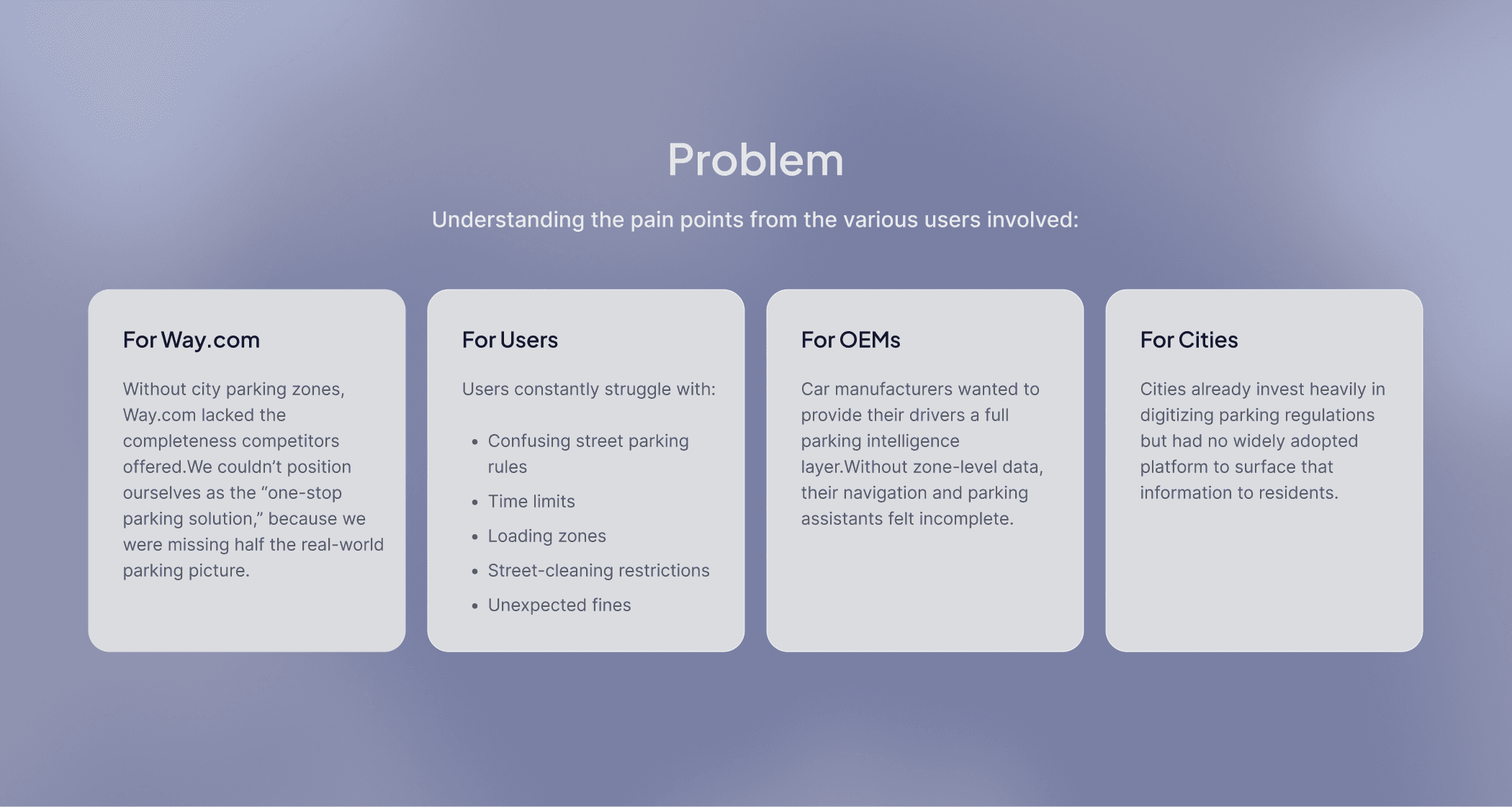
Parking in cities is often confusing because of changing rules, restricted areas, time limits, and varying tariffs. Users are left guessing where they can park, which leads to stress, wasted time, and sometimes costly fines.
While exploring this problem, I realized the real challenge was not just finding a parking spot but the lack of clear and accessible information about city-owned parking zones. Despite Way.com being a major parking platform, we did not display these zones, whether free or paid.
Competitors like SpotAngels were already using GIS-based maps to show real-time parking regulations, giving users a more complete and reliable experience.
Project Scope
This initiative set out to integrate a GIS solution that would allow Way.com to display real-time parking zones, availability, restrictions, and pricing directly inside our mobile apps, web platform, and internal tools.
The scope expanded across three major fronts:
1. GIS Integration Across All Platforms
Mobile apps (iOS & Android)
Mobile web & desktop
Internal admin portal
2. Syncing External GIS Systems With Our Database
Ingesting and maintaining partner data
Managing real-time updates
Preserving long-term scalability
Evaluating Open-Source GIS Tools
Exploring QGIS and similar platforms
Building an internal pipeline for city parking data
Reducing dependency on third-party providers
This wasn’t just a UI project, it was a foundational product infrastructure upgrade.
Design Implementation on App
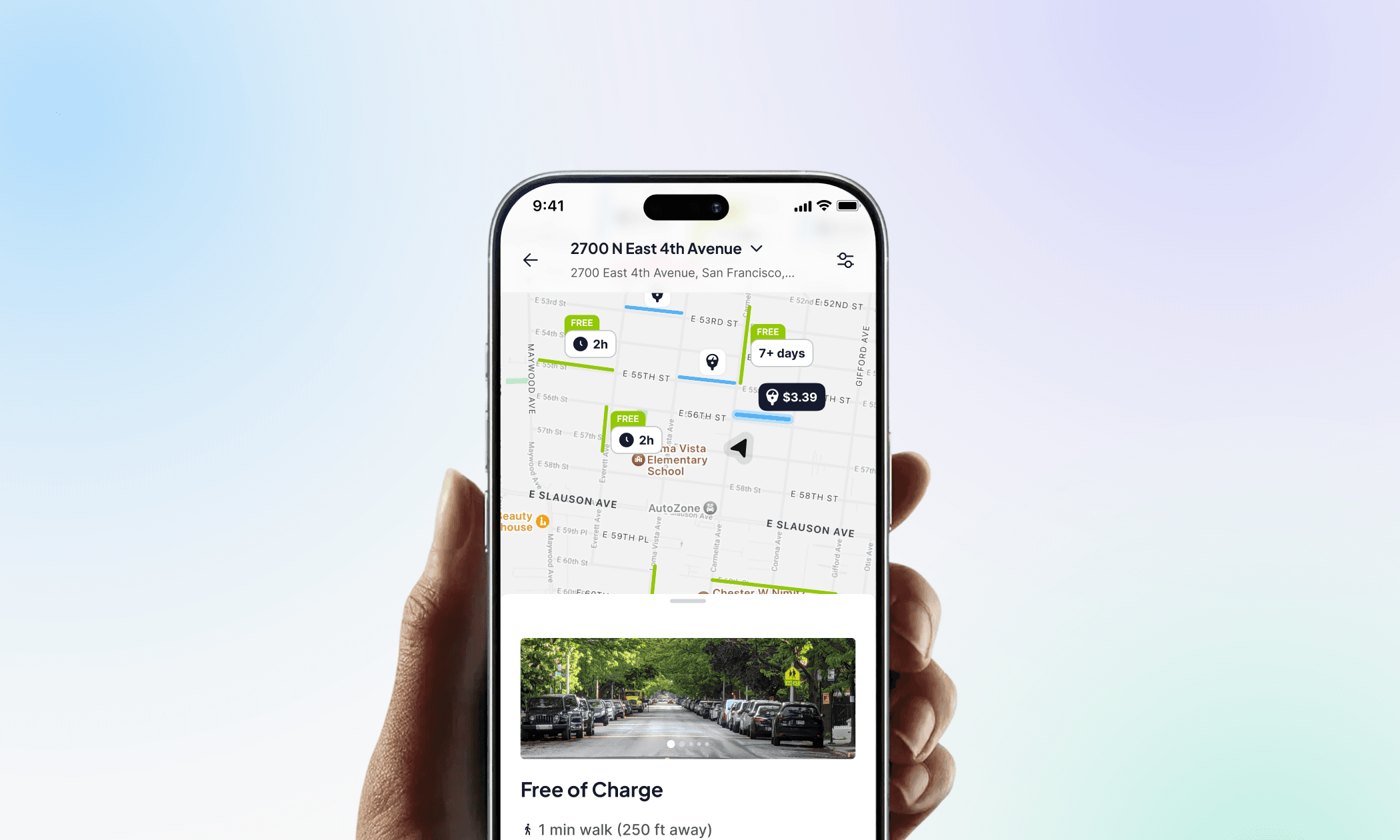
I have worked on the design for App for this project. The design & product strategy involved creating a real-time parking map that clearly displays color-coded zones, rules, and restrictions, with the ability to tap and view details like hours and tariffs. I added a straightforward action layer where users can set their parking location, view time limits, receive reminders, and move their car before violations occur.
Vertical Landing Page
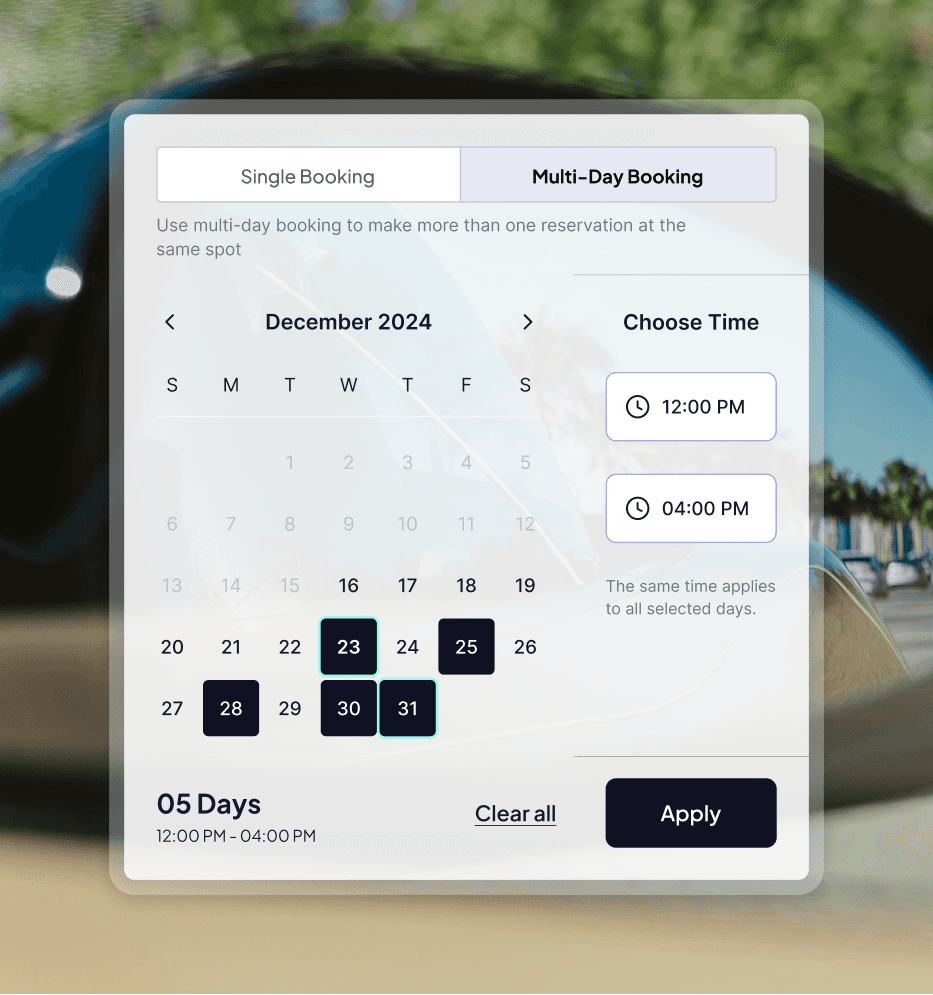
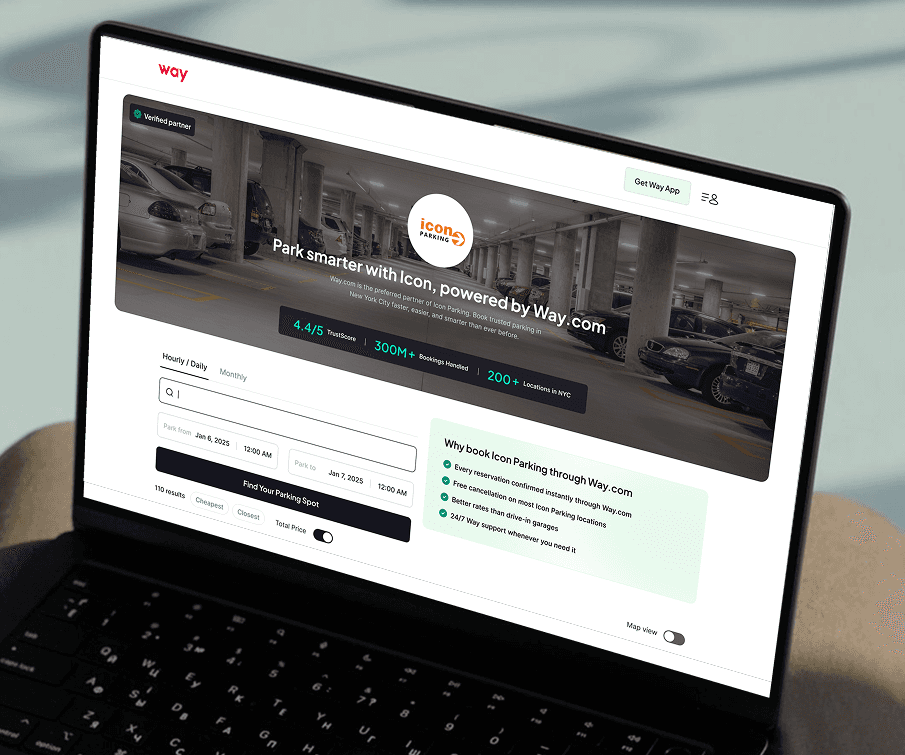
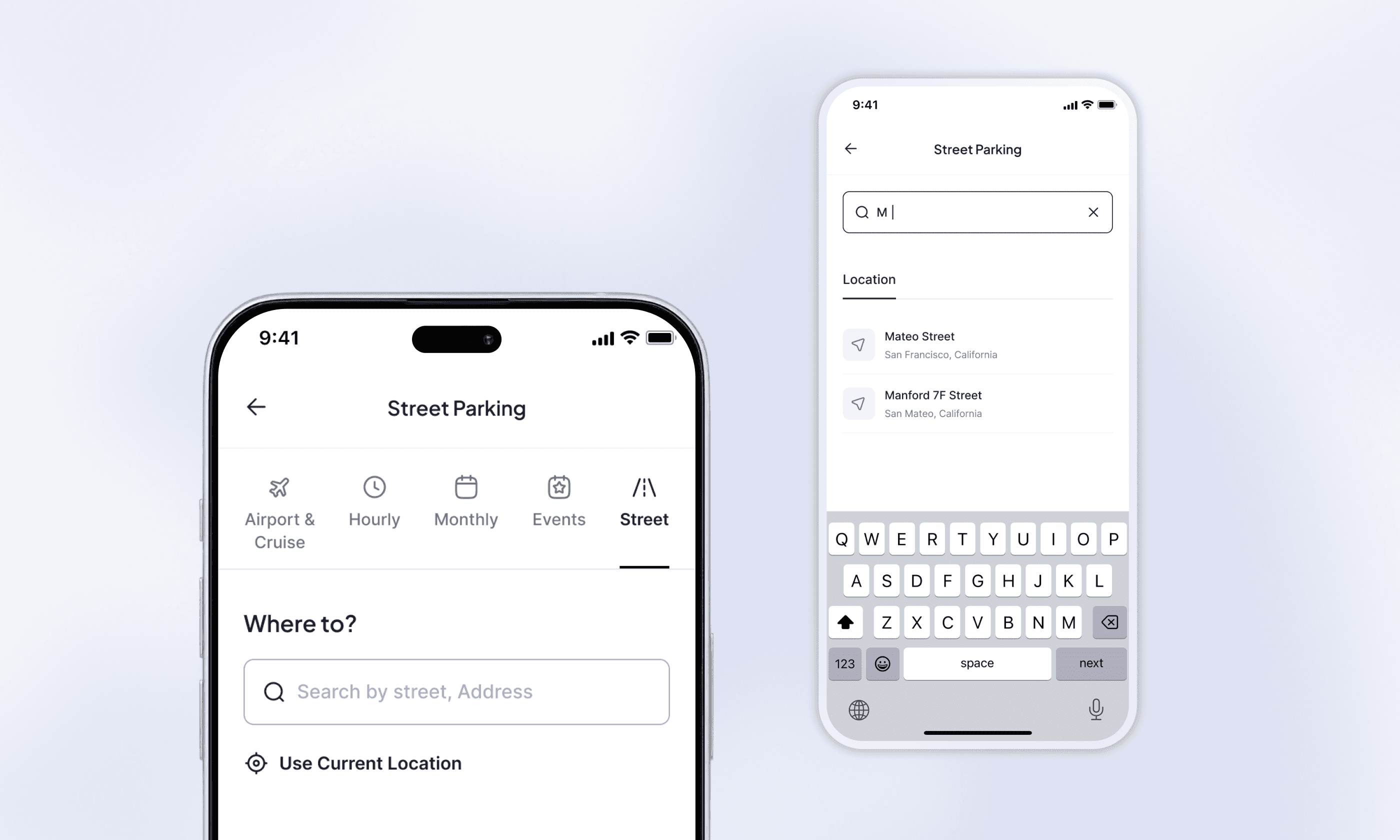
The "Street" parking section will be added as a new category to the Parking Vertical Landing Page to allow users to discover and book on-street parking options alongside existing options like Airport, Hourly, Monthly, and Events.
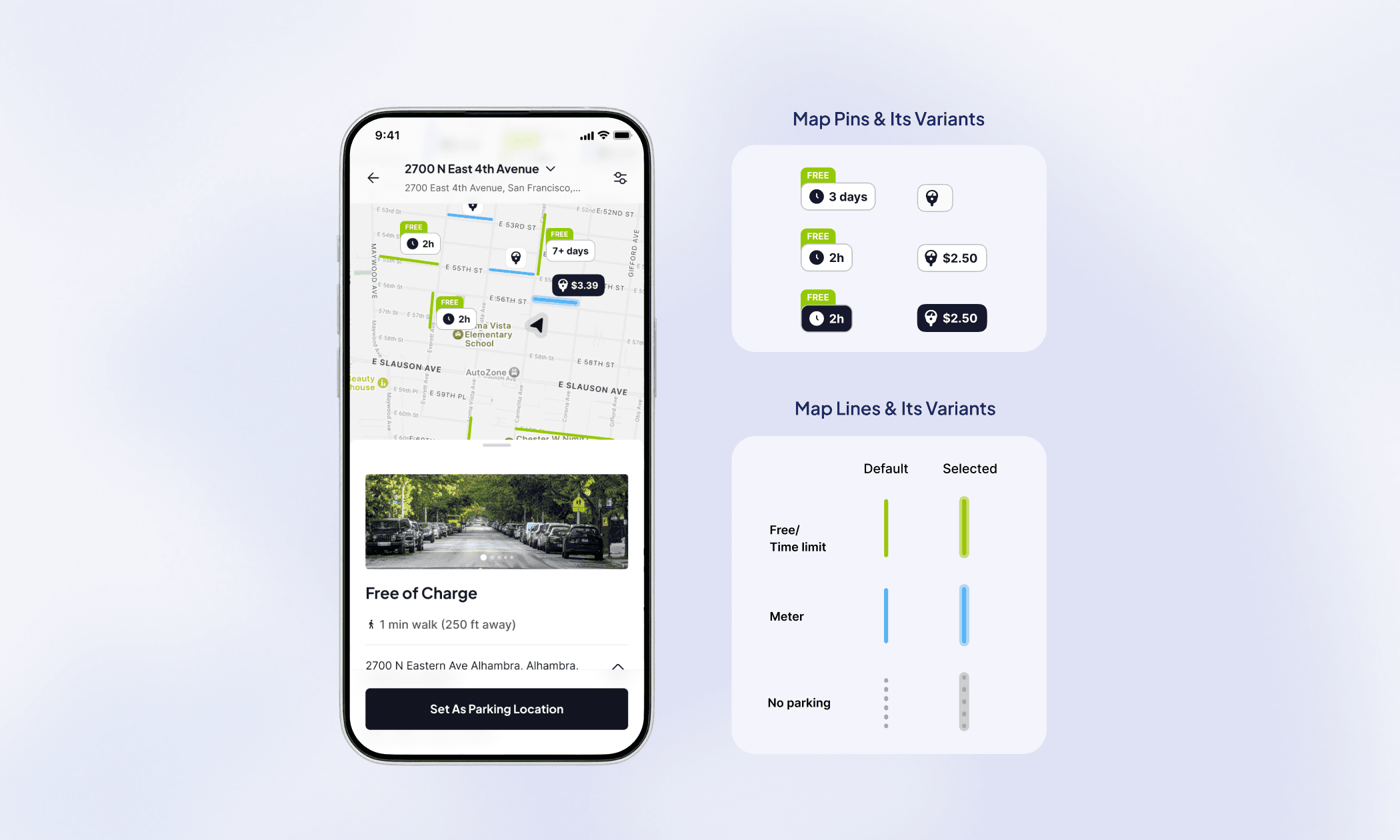
Search Results - Map View
The screen shows the user’s searched location at the top, with quick access to filters and a total-price toggle. The map centers on the user’s location (or the searched spot) and highlights the nearest meter. Tapping any street segment brings up its details in a floating panel, with a clear option to “Set as parking location,” which then places a marker on the map.
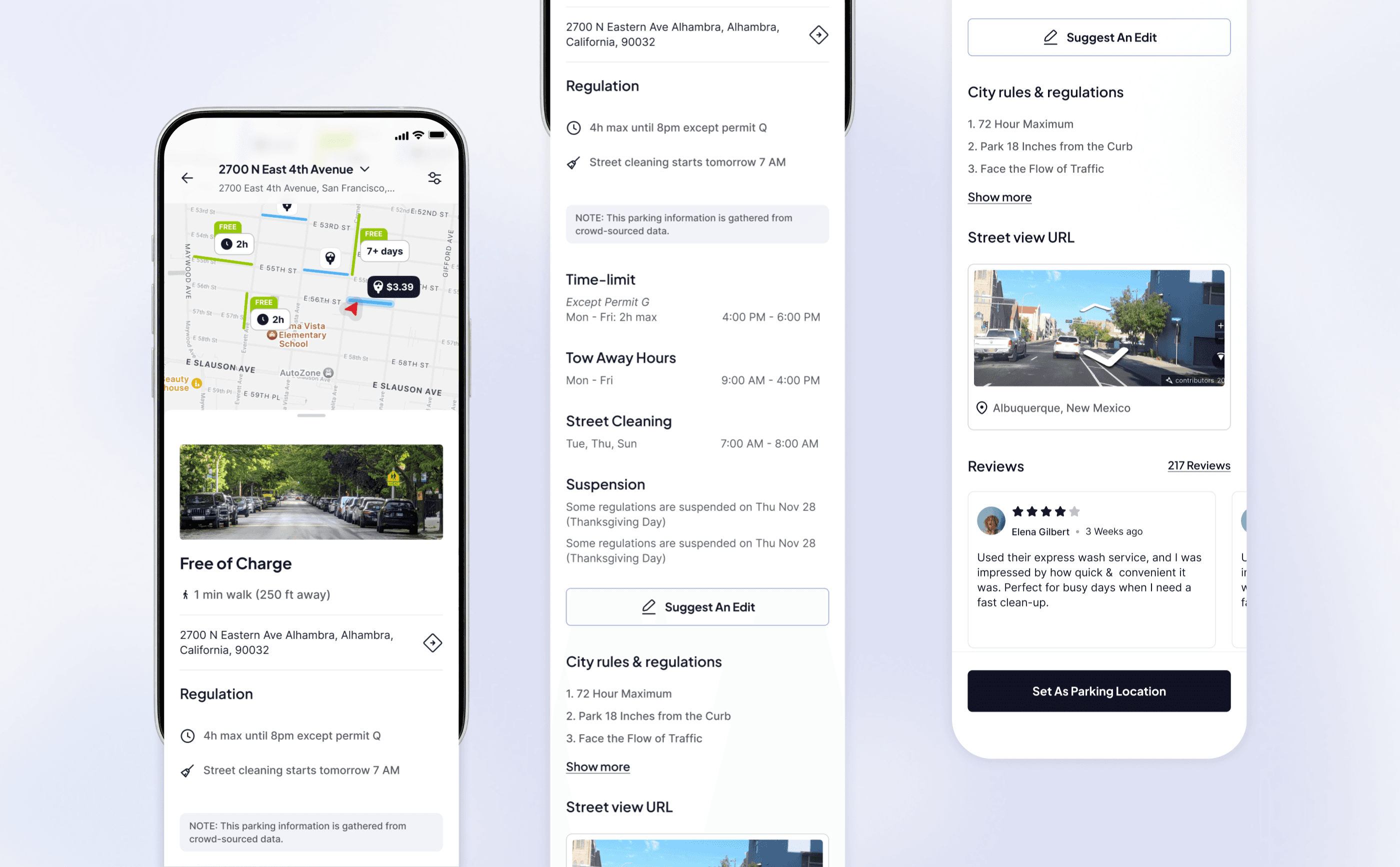
Parking Details (Floating Section)
This floating parking detail page has all informations regarding parking, like time limit, city rules & regulations,, towin hours, street cleaning info, street view and reviews.
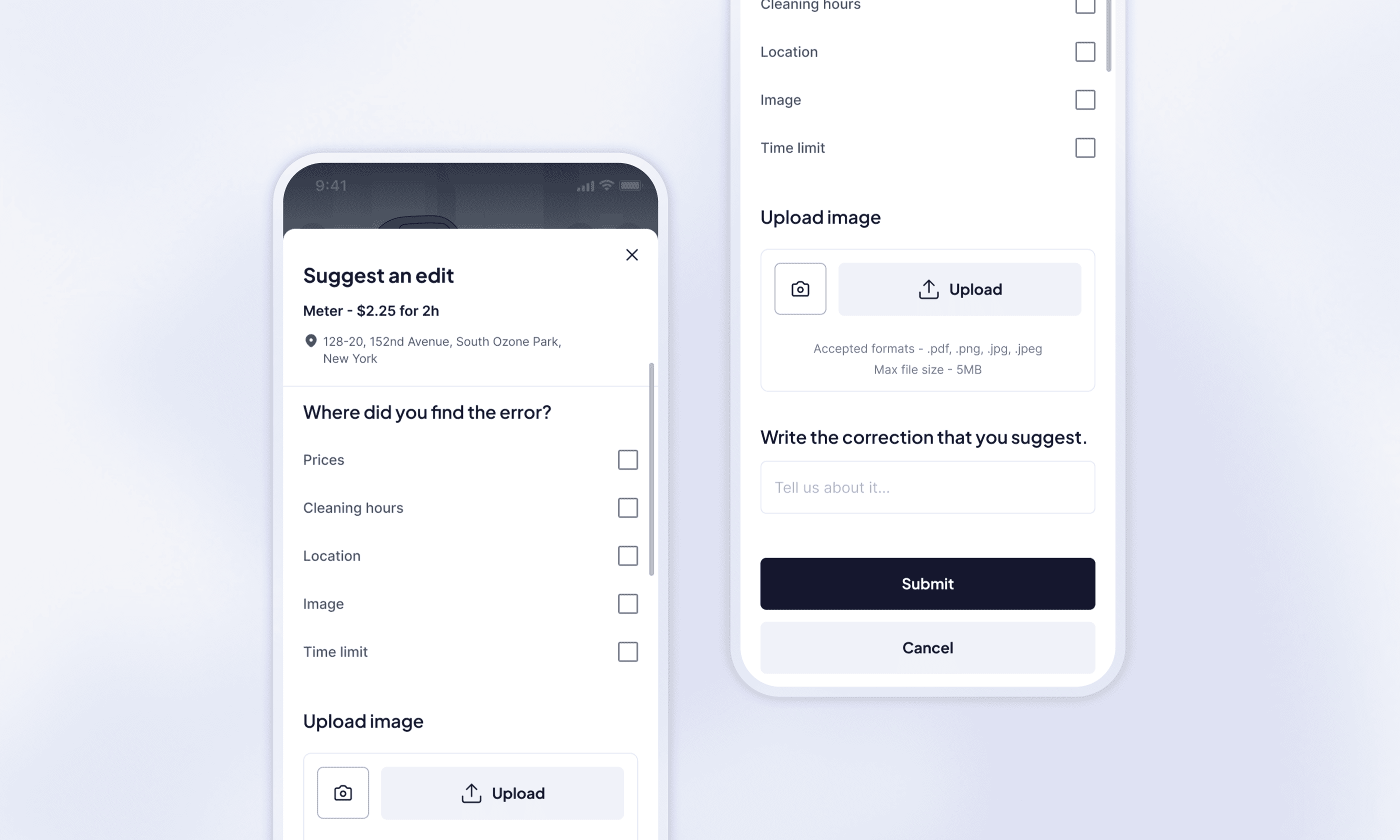
Suggest an Edit
Users can submit corrections for parking data to improve accuracy. The type of issue, suggestiions, along with visual evidence can be submitted.
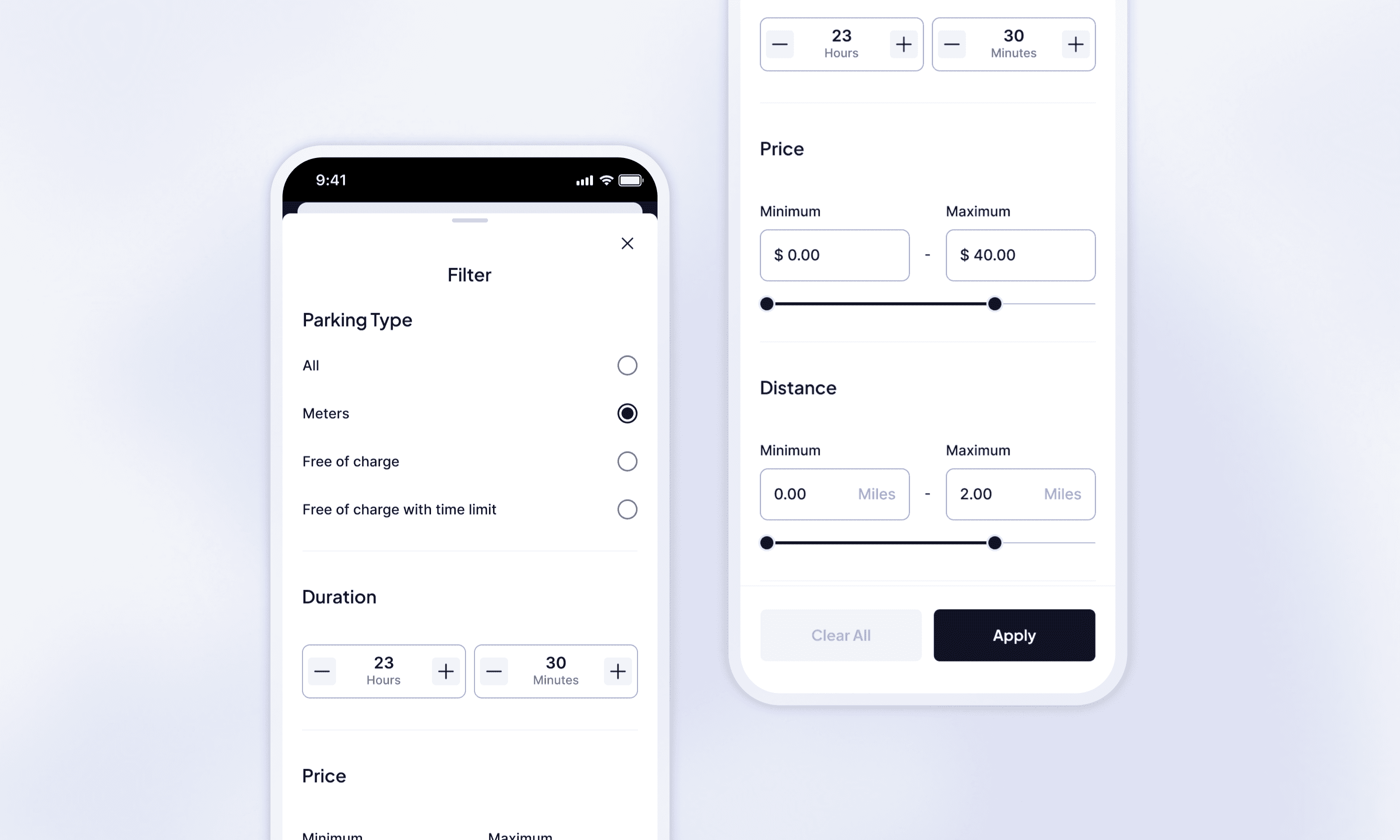
Filter
There are multiple parameters provided in the filter menu to help the users sort and select their preferences.
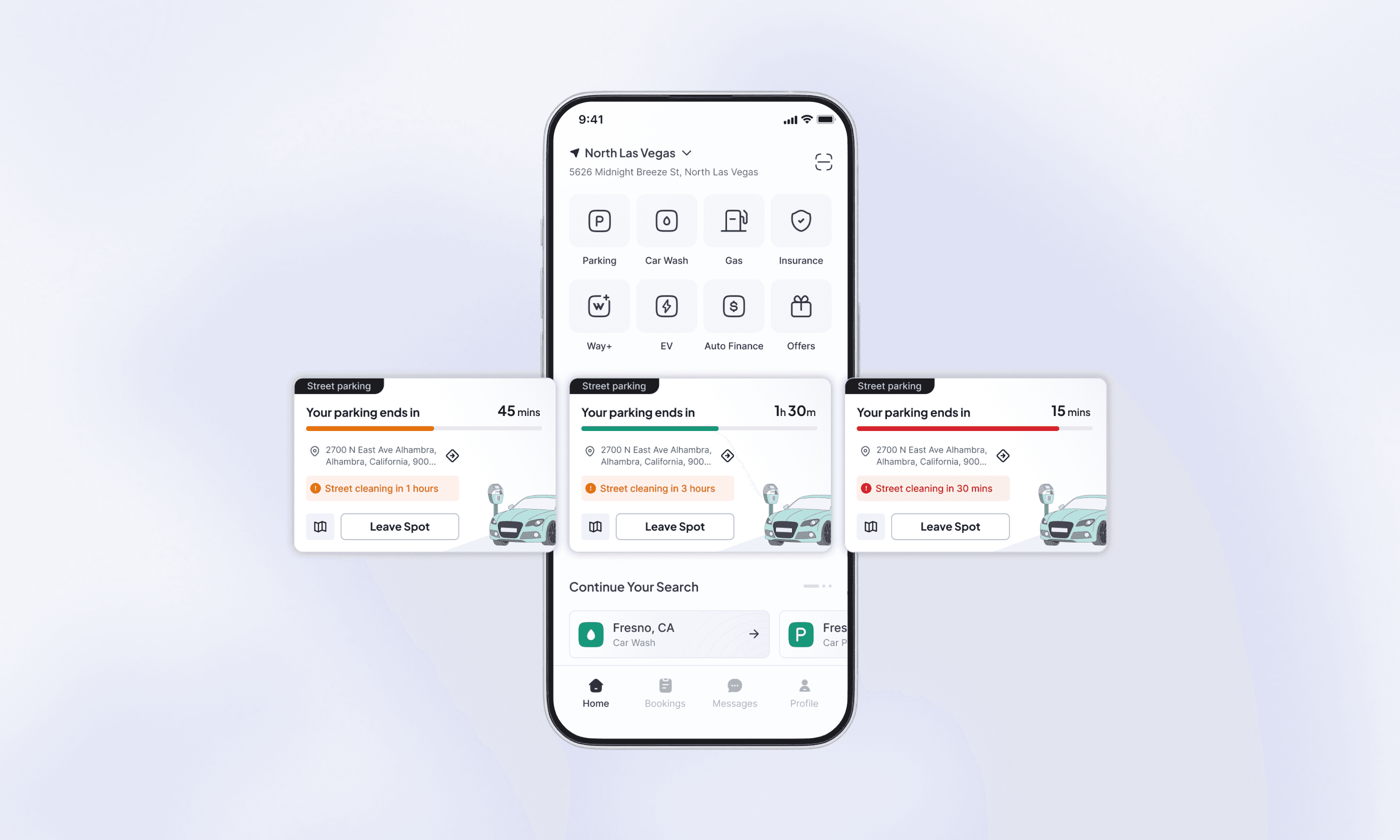
Homepage - street parking progress section
In the homepage, below the vertical categories, a dedicated Street Parking section that displays the active progress of the current parked meter will get displayed.
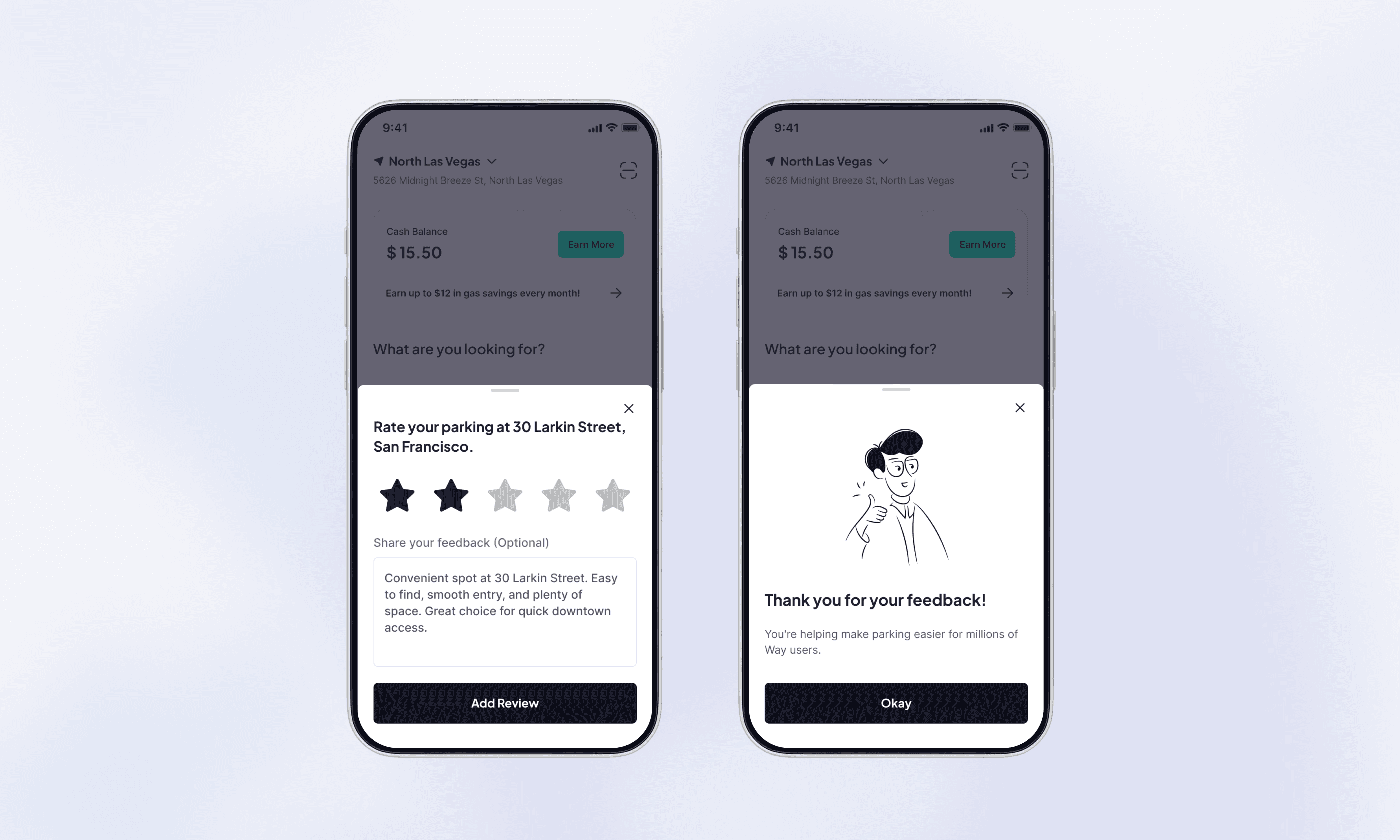
Reviews & Ratings
The rating pop-up is displayed only once, the next time the user opens the app after parking is completed. or the moment user marks as ‘Leave spot’. In this case, the pop-up should be displayed instant.
Reflections
This project taught me how important it is to design for real-world complexity. Parking is messy and highly local, but users still expect a simple and reliable experience. Working across UX, GIS data, automotive partners, and city infrastructure helped me understand how digital products can bridge the physical world. I learned how to design for real-time data, make map interactions intuitive, simplify complicated parking rules, and build systems that scale beyond a single screen. Overall, this work helped move Way.com closer to becoming a complete, end-to-end parking solution.
Discover More